


Kids Drawing Games for Toddler
4.0144.00 Reviews
App Specs
- Version
- 5.5.6
- Updated On
- License
- Free
- Downloads
- 10,000,000+
- Developer
- Bini Games
- Categories
- Educational
- Platform
- Android, iOS
Screenshots
 Analysis by AppCompare
Choosing a drawing game for a young child is easy; deciding whether it will still be useful after the first burst of excitement is harder. I look at Kids Drawing Games for Toddler as a short creative activity rather than a substitute for paper, crayons, or time spent drawing together. That distinction matters: it can make a quiet moment easier to manage, but its lasting value depends on whether your child enjoys returning to it and whether the screen fits your family’s routine.
What the first few sessions are good for
For a toddler who is curious about colors and tapping a screen, a guided drawing game can be an inviting first step. Bini Games makes this educational game for children, and its focus is more specific than a general entertainment app: it brings drawing into a young child’s play. I would try it when a child wants to make something but is not yet ready to manage a full set of art supplies independently.
A practical first session does not need to last long. Sit beside your child, let them choose what to explore, and ask them to describe the colors or shapes they notice. That turns screen time into a shared activity rather than handing over a device and hoping it holds attention. It also gives you a chance to see whether the prompts feel encouraging or whether your child would rather make free-form marks on paper.
The game is free to download, with in-app purchases priced from $1.99 to $44.99 per item. That range is worth discussing before a child plays: a free download does not mean every part of the experience is free. I would check what is available before settling into a routine, and keep purchase controls in place on the device. The age rating is Everyone, but that does not remove the need for an adult to guide a toddler’s use.
Does it keep earning its place?
The first-week appeal of a drawing game often comes from novelty: new colors, little tasks, and the pleasure of making something appear with a touch. Over time, the more useful test is whether the child starts choosing it for a reason. Maybe they want to practice a shape, revisit a drawing activity, or simply have a familiar creative option during a quiet part of the day. If none of those habits develop, there is no need to keep offering the app just because it once held their attention.
For a month-to-month routine, I would treat it as one option in a small rotation rather than the default answer to every request for a device. A short session before dinner or while waiting for an appointment can be a reasonable fit, especially when an adult is nearby. The same child may enjoy it more on some days than others; toddlers’ interests change quickly, and a drawing app cannot be expected to replace outdoor play, conversation, or hands-on art.
Compared with a blank sheet of paper, the app offers a more guided and contained digital activity, while paper gives children the freedom to make marks without following a screen-based structure. Compared with a general kids’ video app, a drawing game asks the child to take part rather than only watch. Neither comparison makes one choice universally better. If your child is keen to explore real textures and tools, paper and washable crayons may be the better activity; if you need a compact, screen-based creative option, this game may suit the moment.
Worth Reading Before You Choose

EA SPORTS FC Mobile 26 Is a Bigger Football Game, but It Takes Time

Flipboard Shows What News Apps Must Do Beyond the Feed

Switching to Android Auto Means Rethinking Your Driving Routine

Google Calendar Makes a Crowded Week Easier to Manage

Ludo King Makes the Most of the Minutes Between Plans

Baby Panda World Brings Quick Play to Modern Phones, but Its Game Library Feels Busy
Keeping the routine manageable
The app is available for devices running Android 8.0 or later, and its current version is 5.5.3. Before building it into a child’s routine, I would check that it runs comfortably on the device you plan to use and that the screen is easy for small hands to reach. A device that is awkward to hold can turn a simple activity into a frustrating one, even if the game itself is appealing.
A useful habit is to agree on the activity before opening the app: for example, “Let’s make a picture, then put the tablet away.” That gives the session a natural endpoint without turning the game into an all-purpose distraction. You can also invite your child to draw something similar on paper afterward. This small step helps you judge whether the screen is sparking an interest they carry into other activities or whether the appeal stays entirely inside the app.
Maintenance is mostly about the adult’s routine, not a complicated setup. Keep an eye on the device, review purchase settings, and decide in advance when the game is appropriate. If a child repeatedly taps through choices without drawing or becomes upset when it is time to stop, that is a sign to shorten sessions or choose a different activity. A familiar app can be convenient, but convenience alone is not a reason to make it a daily habit.
When the novelty fades
Repetition is the main risk with any narrowly focused creative game. Once a child has seen the activities that interest them, the same visual style or prompts may feel less exciting. That does not necessarily mean the app has failed: a toddler may return to a favorite activity intermittently. But if they lose interest, I would not try to keep them engaged by extending screen time or treating every moment of boredom as a cue to reopen it.
There is also a difference between a child enjoying a drawing game and learning to draw confidently. The app can provide a playful context for exploring, but it is only one part of early creative play. Children who want open-ended experimentation may be better served by paper, chunky crayons, or an adult drawing alongside them. Children who prefer clear on-screen activities may be happier here. Watching which kind of choice your child makes is more useful than assuming one format works for every toddler.
With a 4.0 average rating from around 16,000 ratings and over 10 million installs, the game has reached many families, though popularity cannot tell you whether it will suit your child. I would use those figures as context, not as a guarantee of a perfect fit. It is a free educational game, rated Everyone, but the in-app purchase range means parents should still pay attention to how access and spending are handled on their device.
Let’s Get Creative!
First off, the user interface is super intuitive, which is great because, let’s face it, toddlers aren’t known for their patience. The vibrant colors and cute animations immediately grab attention. It's like handing them a virtual box of crayons, minus the mess on your walls. Seriously, if only my childhood was this tidy!
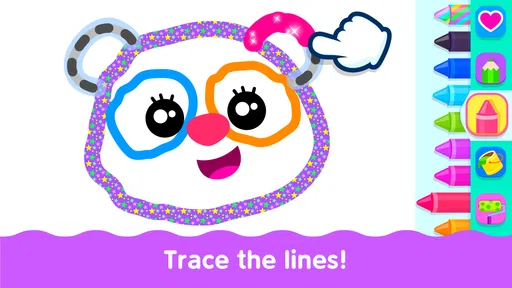
The app offers a variety of drawing tools that cater to every budding artist. Your kiddo can choose from brushes, pencils, and even adorable stickers to embellish their masterpiece. The best part? The palette is endless! No running out of red or blue here, folks.
Educational Fun
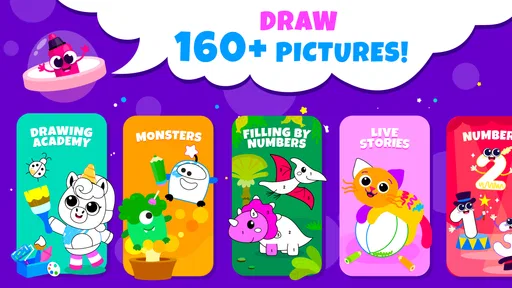
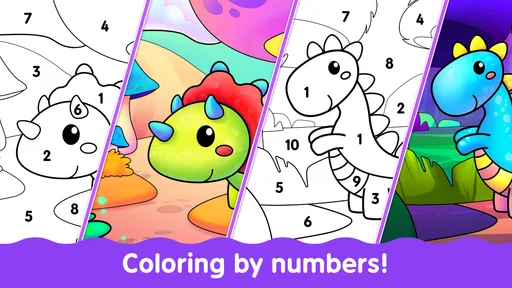
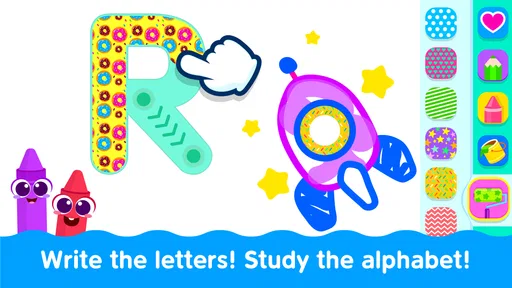
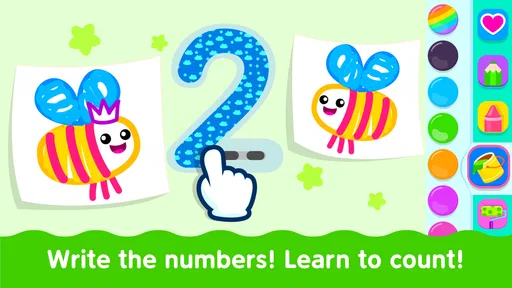
Now, let’s talk about the educational aspect. Kids Drawing Games for Toddler isn’t just about doodling. It sneakily introduces basic concepts like shapes, colors, and even numbers. Imagine your child learning while they think they’re just playing. Genius, right?
Each game level encourages kids to draw specific shapes or patterns, subtly teaching them to recognize these elements in their daily life. It’s like having an art class on the go, without the need to pack a lunch.
Safe and Sound
As a parent, safety is always top of mind. The app is ad-free, which is a huge relief. There’s nothing more annoying than those pesky pop-ups interrupting playtime. Plus, there’s a parental lock feature ensuring that your child won’t accidentally make any in-app purchases. It’s like a digital babysitter with an art degree.
Another thing I love is the offline capability. Whether you're on a road trip or stuck in a waiting room, this app is a lifesaver. No Wi-Fi? No problem! Your toddler can still unleash their creativity without any hiccups.
Why Your Kid Will Love It
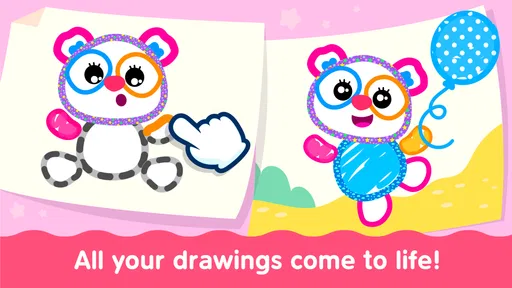
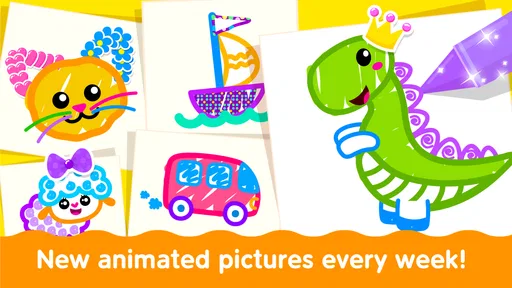
Every little artist loves to see their work come to life. With Kids Drawing Games for Toddler, there’s a feature where their drawings can animate. Yes, you heard that right! Imagine your child’s delight when their stick figure suddenly starts to dance. It’s pure magic.
Moreover, the feedback from the app is always positive. Encouraging words and fun sounds boost their confidence, making them want to create more. It’s like having a personal cheerleader in their pocket.
Wrapping It Up
To sum it up, Kids Drawing Games for Toddler is a fantastic app that combines art, learning, and fun in one neat package. It’s a great way to keep your toddler engaged while also giving you a moment of peace. And let’s be honest, who couldn’t use a bit of that?
If you’re ready to let your child’s creativity blossom, give this app a download. Trust me, you’ll be amazed at what those little fingers can create. Happy drawing!
Pros
- Engaging colorful graphics.
- Simple
- intuitive interface.
- Encourages creativity.
- Suitable for all ages.
- No ads interrupting play.
Cons
- Limited free content.
- Requires internet for updates.
- Occasional app crashes.
- No parental control options.
- Large download size.
FAQs for Kids Drawing Games for Toddler
What age group is Kids Drawing Games for Toddler suitable for?
Kids Drawing Games for Toddler is designed for children aged 2 to 5 years old. The app features simple and engaging drawing activities that are easy for young children to navigate, helping them develop creativity, fine motor skills, and an understanding of colors and shapes in a fun, interactive way.
Does the app require an internet connection to function?
No, Kids Drawing Games for Toddler does not require an internet connection to use most features. Once the app is downloaded, children can enjoy drawing and coloring offline, making it a great option for travel or situations where internet access is limited.
Is Kids Drawing Games for Toddler safe for my child to use?
Yes, the app is designed with child safety in mind. It contains no ads, in-app purchases, or external links that could lead to inappropriate content. The user interface is intuitive and child-friendly, ensuring a safe environment for toddlers to explore their creativity.
Can I track my child’s progress within the app?
Kids Drawing Games for Toddler includes features that allow parents to track their child’s progress. You can see completed drawings and activities, which helps you understand your child's development in terms of creativity and motor skills over time.
What devices is Kids Drawing Games for Toddler compatible with?
The app is compatible with both Android and iOS devices. It supports a wide range of smartphones and tablets, ensuring that you can download and use the app on your preferred device without any compatibility issues.


